Searching for virtual hairstyles free turns up a mix of results: browser-based preview tools, generic photo filter apps, and dedicated apps built specifically for trying on hairstyles. They are not all offering the same thing, even when they all use the word "free."
Here is what "free" actually tends to mean across these categories, so you know what to expect before you upload a single photo, plus an honest look at what HairGlam offers at no cost. For a broader roundup of tools in this space, see our guide to the best AI hairstyle apps.
What "free" usually means for virtual hairstyle tools
"Free" in this space falls into one of three buckets: a genuinely open but limited preview, a small number of free tries before a paid tier unlocks more, or a generic filter not really built around specific named hairstyles at all. None is automatically better than the others. They solve different problems.
| Category | What "free" gets you | Catalog | Render quality |
|---|---|---|---|
| Browser-based tools | Open preview, no download or account | Usually small, generic categories | Lower, not built for your specific photo |
| Photo filter apps | A broad overlay or color shift | Not built around named styles | Fun to try, not precise |
| Dedicated apps | A capped number of free try-ons | Larger, named cuts and colors | Higher, built for the one purpose |
Browser-based try-on tools
Browser tools need no download and no account for a basic preview. The tradeoff is usually catalog size and render quality. A quick web tool might offer a handful of generic style categories rather than dozens of named cuts and colors, and the preview can look noticeably less realistic than a result built to work with your own photo's lighting and proportions.
These tools are a reasonable starting point for the broadest possible first impression without committing to anything. They are usually not the place for a precise preview of a specific named style you are considering.
Photo editing apps with generic filters
General-purpose photo editing apps sometimes include hair-related filters as one feature among many. These apply a broad color shift or a generic overlay rather than a specific, named hairstyle rendered with any real precision. They can be fun to experiment with, but they are not built to answer a specific question like "would this bob suit my face" or "how would this shade of blonde actually look on me."
Dedicated AI hairstyle apps
Dedicated apps built specifically around hairstyle and hair color preview generally offer the largest catalogs and the most realistic renders, since that is their entire purpose rather than one feature among many. To be upfront about where this site fits in: HairGlam is our own app, made by Viral Labs, the same team behind this site.
HairGlam is free to download, with no account or sign-in required. Every new user gets two free hairstyle try-ons and two free hair color try-ons, enough to test a couple of real ideas, a specific bob shape or a specific blonde shade, directly on your own photo before deciding whether you want unlimited access. Unlimited use is HairGlam Pro, an auto-renewing subscription billed weekly, monthly, or yearly, cancellable in your App Store account settings at any time.
If you want to compare a range of tools focused on hairstyles generally, our guide to a hairstyle simulator covers that category in more depth. If color is your main interest, see our guides to a free hair color app and a virtual hair color app for more on that specific use case.
What to check before you commit to a tool
Before you rely on any free virtual hairstyle tool for a real decision, check a few things about how it actually works. Does it use your own photo, or a generic model face meant to represent a general idea of the style? A result built on your own photo tells you far more about how a cut or color will actually look on your face shape, skin tone, and hair, since a generic model cannot account for any of that.
Also check whether the tool separates hairstyles from hair colors, or bundles them into one limited set of options. If you specifically want to test a blunt bob shape or a specific shade like ash blonde, a tool with a real catalog of named styles gets you a much more useful answer than one offering only a handful of broad categories.
How to get the most out of a free allowance
Whichever tool you use, a small number of free tries goes further with a plan. Decide on your top two or three real candidates before you start, a couple of haircut shapes or a couple of color families, rather than spending free tries on options you were never seriously considering.
Use a clear, well-lit, front-facing photo for the most accurate result, and compare styles against the same base photo so the comparison is fair. If a tool offers cut and color previews separately, decide which question matters more right now, since combining a completely new cut and a completely new color in one test makes it harder to judge either change on its own.
Treat the result as a starting point for a conversation with your stylist rather than a final answer. A render shows you the general shape and color, enough to rule options in or out, but the specifics of how a cut is executed, or how a color lifts on your particular hair, are still worth discussing with a professional before you commit.
See it for yourself
The fastest way to know whether a free allowance is enough for you is to try it. Take a photo or choose one from your library, apply a style from HairGlam's catalog of 138 hairstyles, 125 hair colors and 36 makeup looks, and see it rendered onto your own photo in a few seconds. Your first two cut try-ons and two color try-ons are included at no cost.
See it on your own face in HairGlam
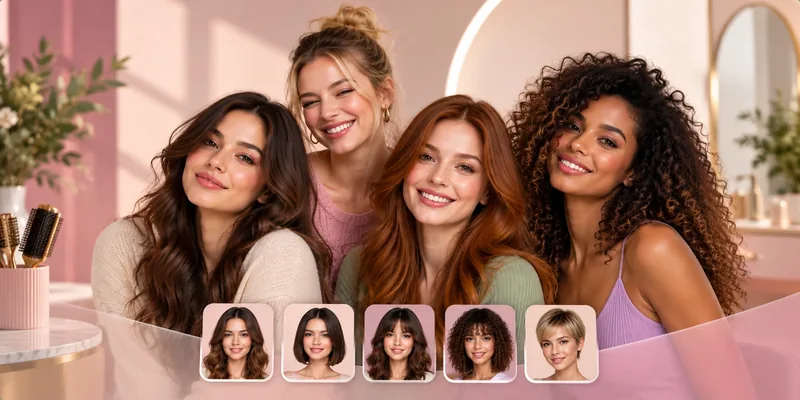
See it on your own face in three taps
- Add one selfie. Front on, even light, hair off your face. No account.
- Pick a cut, a color or a makeup look from 299 in the catalog.
- See it in seconds on your own face, then save it for your stylist.
12 free looks: 4 haircuts, 4 hair colors and 4 makeup looks. No paywall in between, no account.
Questions people ask
Are virtual hairstyle tools actually free?
What is the difference between a browser tool and a dedicated app?
Does HairGlam have a free version?
What should I look for in a free virtual hairstyle tool?
Read next
best ai hairstyle apps 2026

Hairstyle simulator apps compared: catalog overlay vs photo render

Free hair color app roundup: which ones render on your own photo
Virtual hair color app: how to test a shade on your own photo
Hairstyle app for men: the ones that handle fades and beards