Search for a free hair color app and you get a pile of very different tools using the same marketing language. Some just tint the pixels of your existing hair a new hue. Some hand you a library of stock photos in different colors. Only some take your own photo and generate a new image of you wearing the color. Here is how to tell those three apart before you download anything, and where HairGlam, our own app, fits into that picture.

See any cut or color on your own photo. Free to download, iPhone and iPad, iOS 15.1 or later.
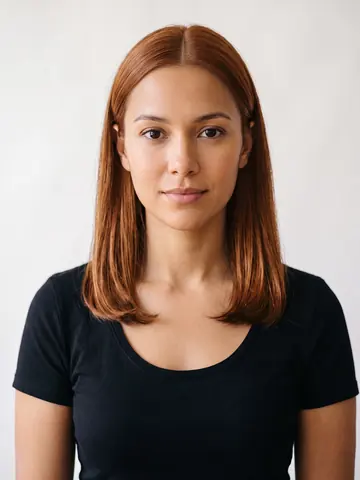 Copper Blonde
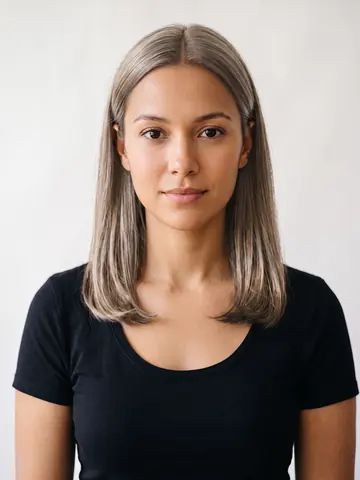 Ash Blonde
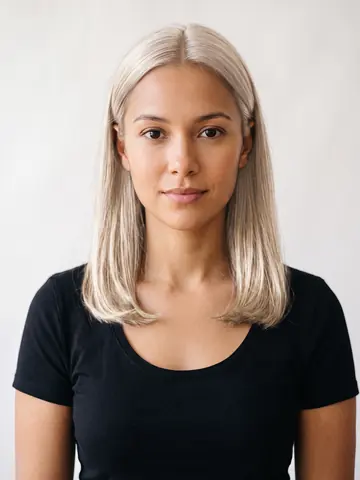 Platinum Blonde
The three kinds of free hair color app
The category matters more than the app name attached to it.
| Type | What it actually does | What it cannot show you |
|---|---|---|
| Filter or tint | Adjusts hue and saturation of the hair pixels already in your photo | A different shade level, like black to platinum, since it recolors existing hair rather than generating new hair |
| Catalog or model swap | Pastes your face onto a template, or shows preset colors on stock photos | Your real hair shape, texture, and lighting, since those belong to the template |
| Photo render | Generates a new image with the color applied to your own hair shape and lighting | Nothing about your face, but still only a preview, not a guarantee of the salon result |
HairGlam works the photo-render way: you take or choose a photo, pick a color or a cut, and the app renders that look onto your own photo in a few seconds.
What "free" usually means in this category
Most apps here are free to download, and many offer a limited number of tries before asking you to pay for continued or unlimited use. That structure is common across the category, not unique to any one app. Pricing and offer details change and vary by app, so check the current App Store or Play Store listing rather than trusting an old screenshot or a review from a year ago.
HairGlam follows the same shape: free to download, a small free allowance of hairstyle and hair color try-ons for every new user, and unlimited use through HairGlam Pro, an auto-renewing subscription billed weekly, monthly, or yearly, cancellable any time in your App Store account settings.
There is no account to create and no sign in required to start using HairGlam's free allowance.
Apps aimed specifically at hair color
Within the photo-render category, some apps focus narrowly on color, letting you test blonde, brunette, red, and vivid shades without necessarily covering haircuts too. If color testing on your own photo is your main goal, a virtual hair color app built specifically around that use case is worth comparing against a broader hairstyle and color app.
Where general hairstyle apps fit in
Some apps bundle color testing with full haircut and hairstyle try-on, so you can test a cut and a color in one session instead of switching apps. Choosing based on the full range of what an app can preview. Look at hairstyle apps built for men specifically if that is your use case, since not every general beauty app covers men's cuts and fades well, and at the best AI hairstyle apps overall for the full landscape rather than a color-only comparison.
What a render can and cannot tell you
Even the best photo-render app shows you a preview, not a guarantee. It gives you a genuinely useful sense of whether a shade level or tone works with your skin and features, since the render uses your own face rather than a stranger's. What it cannot do is predict how your specific hair texture will take a color, how long a shade will last on your particular hair, or how a colorist's exact formula will turn out once it is mixed and processed.
Save the image and bring it to your appointment so your colorist can see what you are picturing, then let them tell you what is realistic given your hair's current condition and color history.
Checking platform and photo quality before you pick one
Two practical things matter more than most people expect going in. Platform: confirm the app is actually available for your phone, since coverage varies a lot across this category. HairGlam runs on iPhone and iPad with iOS 15.1 or later only. Photo quality: any render, on any app, works best from a clear, evenly lit, front-facing photo where your hair is visible. A dark or heavily filtered starting photo will make even a good render look off, no matter which app you use.
Reading reviews and screenshots with a critical eye
Screenshots on an app store listing are usually the best-case render the developer could produce, often from a studio photo with even lighting and a simple background. Your own photo, taken on your phone in your bathroom or bedroom, will rarely match that lighting exactly. That gap is not a flaw unique to one app. It is worth lowering your expectations for the first render you generate and trying a second photo with better light before judging the app itself.
Reviews mentioning a specific hair type or texture are more useful than star counts, since a render's quality can vary with hair length, density, and how much of your hair is visible in the source photo. A short, evenly lit photo with your hair pulled back from your face gives any photo-render app the clearest starting point to work from.
Where HairGlam fits
HairGlam is our own app, made by Viral Labs, so treat this roundup with that in mind rather than as a fully neutral third-party ranking. What HairGlam actually does: you upload or take a photo, choose from 138 hairstyles, 125 hair colors and 36 makeup looks, including shades like copper blonde, ash blonde, and platinum blonde, and it renders that color onto your own photo, keeping your face, skin tone, and lighting intact. It sits squarely in the photo-render category above, not the filter or catalog category.
Try a color on your own photo in HairGlam
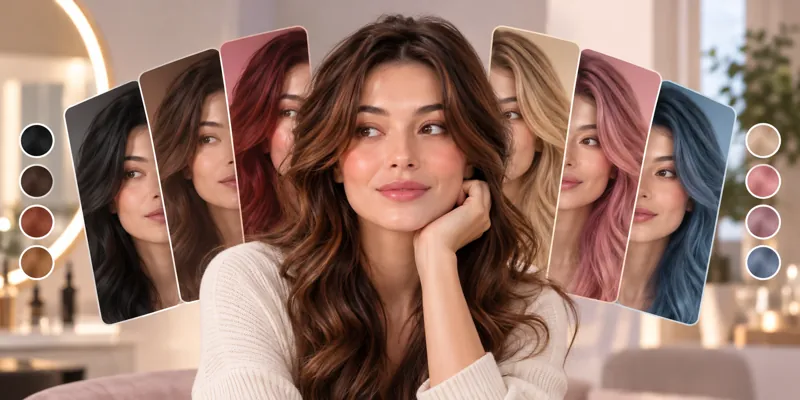
See it on your own face in three taps
- Add one selfie. Front on, even light, hair off your face. No account.
- Pick a cut, a color or a makeup look from 299 in the catalog.
- See it in seconds on your own face, then save it for your stylist.
Free hairstyle, hair color and makeup looks to start. No account needed.